
Want to learn how to mount TV on the wall like a pro? Whether you’re setting up a new entertainment system or upgrading your living room, this guide gives you clear, step-by-step instructions on how to mount TV on the wall, connect wall speakers, and install electrical fittings safely—perfect for Kenyan homes.
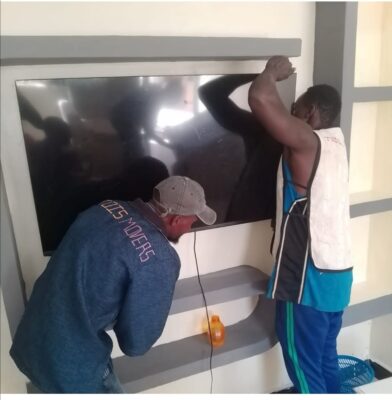
Why Learn How to Mount TV on the Wall?
Learning how to mount TV on the wall creates a clean, modern, and safe space—ideal for small or stylish homes. It protects your TV, enhances your viewing experience, and saves floor space. Plus, you can hide wires for a clutter-free setup.
Tools Needed to Mount TV on the Wall
Before starting, gather the right tools:
- TV wall mounting bracket (VESA standard)
- Drill and drill bits
- Screws, wall anchors
- Spirit level
- Stud finder
- Screwdriver set
- Pencil or marker
- Trunking for hiding cables
- Power extension
- Wall speakers (optional)
You’ll also need someone to help when lifting the TV.
Step 1: Choose the Best Location
When planning how to mount TV on the wall, pick a central, eye-level wall close to a socket. Use a stud finder to locate solid points. Never mount directly on drywall without anchors.
Step 2: Mark and Drill
Using a level and pencil, mark where the TV wall bracket will go. Drill holes into studs and insert anchors if needed. This is a key part of how to mount TV on the wall securely.
Step 3: Attach the Bracket to the Wall
Screw the mounting bracket into the drilled holes. Double-check that it’s level. If this step is off, the entire process of how to mount TV on the wall will not look professional.
Step 4: Attach Bracket to Your TV
Align the bracket arms to the back of the TV. Use the provided screws and avoid over-tightening. This is a critical point in learning how to mount TV on the wall correctly.
Step 5: Hide Cables
If you want to know how to mount TV on the wall cleanly, cable management is crucial. Use trunking or install in-wall plates. Route HDMI, power, and antenna cables to avoid a messy look.
Step 6: Mount the TV
Now mount the TV onto the bracket. Get help to lift and secure it. Make sure it’s firmly locked. This step completes the main process of how to mount TV on the wall physically.
Step 7: Add Wall Speakers (Optional)
Want full sound? Install wall speakers by marking speaker positions on either side of the TV. Run the cables behind walls or inside trunking, keeping the setup clean.
Step 8: Connect Electricals Safely
If you’re handling electricals while learning how to mount TV on the wall, safety is vital. Use a surge protector, avoid overloading one outlet, and if possible, install a socket behind the TV (done by a licensed electrician).
Step 9: Test Everything
Power on the TV and sound system. Make sure all cables are working, there’s no flickering or noise, and the TV is firmly mounted. Congratulations—you now know how to mount TV on the wall like a pro!
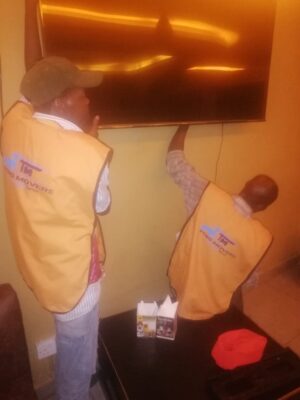
Final Thoughts on How to Mount TV on the Wall
Now that you’ve learned how to mount TV on the wall, you’re ready to enjoy a sleek and safe entertainment setup. Whether it’s a rental, new home, or office, this simple DIY project adds value and modern appeal.
📞 Need help in Nairobi or across Kenya? Call 0717569971/ 0113565246
We offer professional installation services. We’ll show you exactly how to mount TV on the wall, install electrical fittings, and set up wall speakers—safely and professionally.